
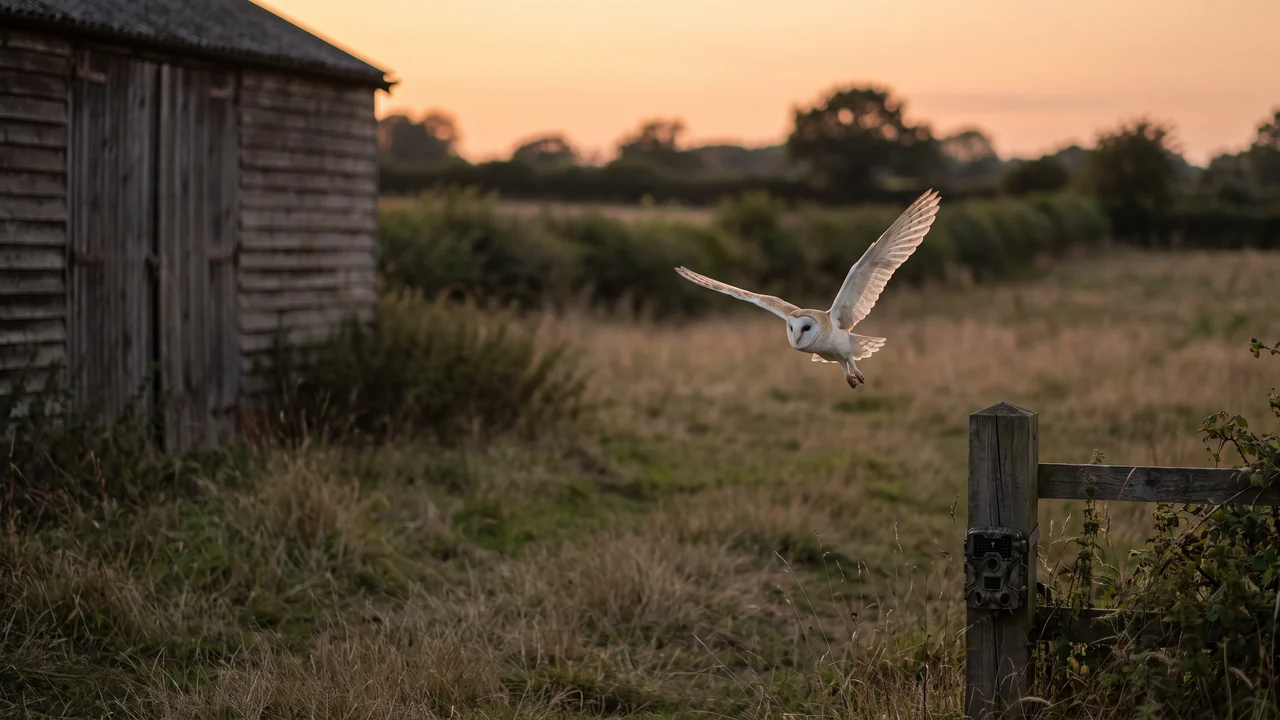
Barn Owl Camera: How to Choose and Set One Up in the UK
For most UK sites, a good barn owl camera is a small infrared model with a no-glow (940nm) flash and fixed focus at close range, running on mains or an external battery pack. Mount it outside the nest chamber. Barn owls breed in dim, dusty spaces, so low-light video quality and dust protection matter more than megapixels.
This is for farmers, landowners and wildlife watchers with a barn, loft or nest box who want clear footage without upsetting the birds. It helps you pick the right features, decide between SD card, Wi-Fi or 4G, and place the unit safely. It also covers powering it in a dusty roof space, keeping disturbance low, and reviving a camera that has failed in cold or damp conditions. Remember that barn owls are legally protected in the UK (Schedule 1), with extra protection while nesting, so check the rules before you install anything.
In short
- Barn owls are protected, so check the law and avoid disturbing nests before you install anything.
- Choose no-glow 940nm night vision, a fast trigger and a power plan that avoids frequent visits.
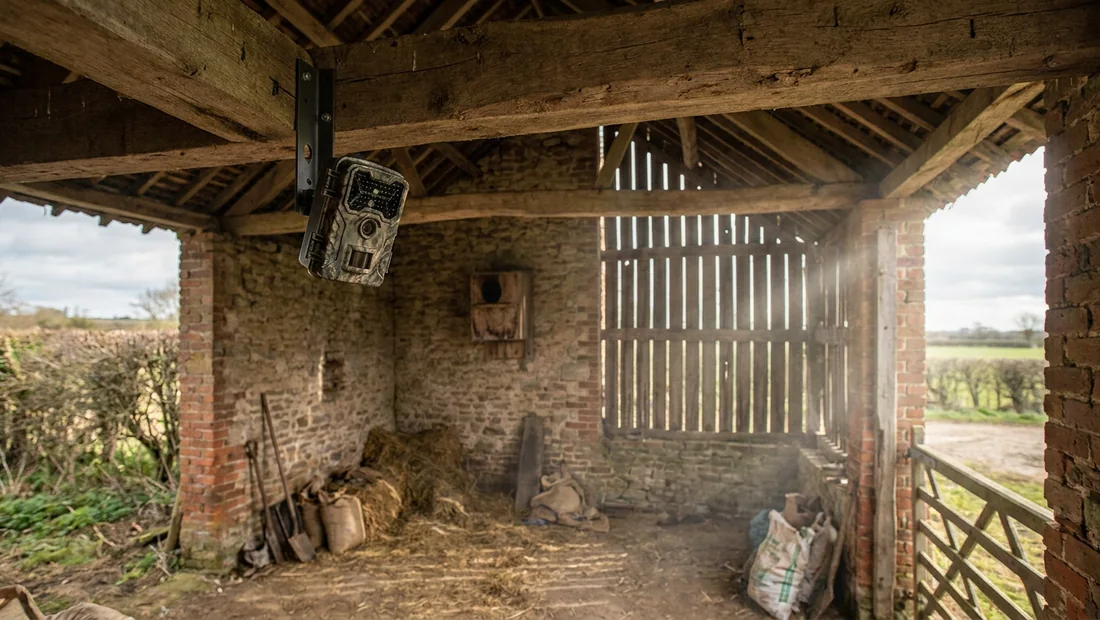
- Mount the camera outside the nest cavity or on a nearby post, angled at the entrance or perch.
- If the camera misbehaves, power it off, remove batteries and card, then restore factory settings in the menu.
What is the best barn owl camera setup?
The most practical barn owl camera is a compact trail camera with no-glow night vision, fixed near the entrance or a favoured perch and set to record short video clips. It triggers only when something moves, which helps limit how often you need to visit.
A trail camera suits this job for three reasons. The motion sensor saves battery and card space by recording only when a bird arrives or leaves. No-glow infrared lets it film in the dark without a visible flash, which matters because owls hunt and return at night. The body is sealed against dust, damp and condensation, which a barn roof space has plenty of. Look for a trail camera with a no-glow LED, such as the models in our night vision wildlife camera range.
A livestream nest box camera is a different product. It is a wired or networked unit built into the box, with continuous video and often a fixed power supply, and it is usually installed by specialists. A trail camera records triggered clips and stores them on an SD card or sends them over Wi-Fi or 4G. It gives you a record of comings and goings, prey deliveries and roosting habits, but not a constant live picture. We sell trail cameras, not fixed livestream systems, so this guide covers the first kind only.
Which features matter for filming barn owls
Choose a camera with 940nm no-glow infrared, a fast trigger and good video, then check how it will be powered for the weeks you plan to leave it.
- A 940nm no-glow infrared flash gives no visible red light, so a barn owl at the nest or on a perch is far less likely to be startled, and the camera is less likely to draw attention to itself. Standard 850nm models show a dull red glow, which is best avoided near a nest, so choose a trail camera with no-glow night vision.
- Trigger speed decides whether you record the owl or only the empty space it just left. Barn owls glide in silently and leave within seconds, so look for a trigger time well under a second and set the camera to record video on trigger.
- Video shows more than stills. Wing beats, head turns, prey being passed to a chick and the hissing of young birds only come across properly in video with sound, so choose a model that records audio. A trail camera with 4K video suits this, though a sharp, well-exposed 1080p clip beats a soft 4K one.
- Detection range and angle depend on where the owl will be. For a barn opening or a wide field edge, a wide detection angle helps you catch birds crossing the frame. For a perch post or a nest box, you want a short range and a narrow, close view, and some cameras let you reduce sensitivity so that moths and dust do not trigger every few minutes.
- Megapixels tell you little by themselves. Sensor size, lens quality and how the infrared is balanced matter more at night, and a very high photo figure often comes from interpolation. Treat the megapixel count as just one line on the spec sheet when looking at high-resolution trail cameras.
- Power needs to match the length of the stay. Lithium AA batteries last longest in cold roof spaces, while a solar panel suits a camera on an outside wall or post. For a nest box watched through the breeding season, an external supply or a large battery pack saves you from visiting to swap batteries, and every visit is a disturbance.
Wi-Fi, 4G or SD card: how will you get the footage?
For a remote barn, a 4G camera is usually the most practical option: it sends pictures to your phone, so you do not need to keep visiting the site. A barn close to the house can use Wi-Fi instead. An SD card suits any site, but every check means opening a door or climbing a ladder near a Schedule 1 species (protected under the Wildlife and Countryside Act 1981), so keep those visits few and brief.
| Method | Best for | Main advantage | Main drawback |
|---|---|---|---|
| SD card | Barns with no signal, short-term checks, tight budgets | Works anywhere and has no running cost | You must visit to collect footage, which risks disturbance. You only learn about problems after the fact. |
| Wi-Fi | Barns or nest boxes within range of your home router | Footage can be viewed without going near the site. Our 4K Wi-Fi trail camera with no-glow night vision is one example. | Signal weakens through stone walls and roof timbers. Test the signal at the camera position before you fix anything in place. |
| 4G cellular | Remote barns, field buildings, yards far from the house | Alerts and images reach your phone, so you can leave the site alone. Browse our 4G cellular trail cameras, including a 4K model with a locked SIM. | Needs mobile signal and usually a data plan. Check the product page for SIM details before ordering. |
| SD card plus a planned visit | Nest boxes you already service outside the breeding season | fits a routine you already have, so no extra trips are needed | Not suited to the nesting period, when disturbance is the main concern |
To choose, set the monthly data cost against how often you would otherwise visit. If you checked an SD card every week, a 4G plan may cost less than the time and fuel you spend on visits, and the owls are disturbed far less often. Test the phone signal inside the barn as well as in the yard.
How to set up a barn owl camera step by step
Follow these steps to set up your barn owl camera, starting with the legal checks before you touch any hardware.
Check the law and get permission
Barn owls are protected under Schedule 1 of the Wildlife and Countryside Act 1981. Intentionally or recklessly disturbing them at or near an active nest is an offence unless you hold a licence. If you are unsure, ask your local raptor group or Natural England before going near a nest. Get the landowner's agreement in writing if the building is not yours.
Prepare the card and power
format a fresh SD card in the camera itself, not on a computer. Fit new batteries or connect your power source before you climb the ladder.
Mount outside the cavity
Fix the camera on a beam, post or wall facing the entrance or perch. Never put it inside the nest chamber and never cut, drill or alter the nest site. A steel mounting bracket works on timber uprights, and L-shaped fixing screws help on awkward beams.
Set height and distance
Aim the camera so that the entrance or favourite perch fills the frame. Test at the closest distance your camera can focus, as many models give soft footage inside a metre or two. Move back a little if the picture looks blurred.
Angle slightly downwards
A small downward tilt keeps cobwebs, hanging dust and loose straw out of the sensor's view. These can trigger empty clips in a barn.
Choose your settings
Select video clips of 15 to 30 seconds, a short trigger delay and high sensitivity. Turn the timestamp on. Use a no-glow infrared model if you can, so the birds see no flash.
Walk test, then leave
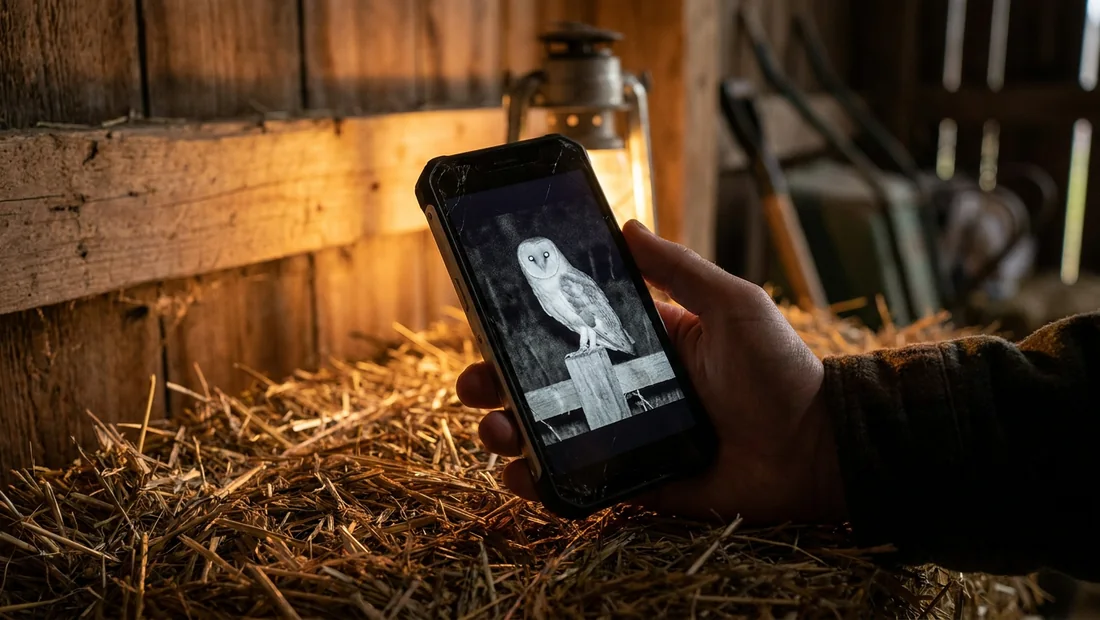
Switch on test mode and walk across the view at the distance the owls will use. Check that the camera's test light confirms it detects you every time. Then leave quickly and quietly. Check the first clips remotely, or wait a few days before collecting the card. Keep each visit brief.
Mind neighbours and paths
do not point the camera at a neighbour's property, a road or a public footpath. UK privacy and data protection rules can apply if people are recorded. Angle the camera to keep other areas out of the frame, and put up a sign if the camera could catch passers-by. More mounting kit is listed under trail camera accessories.
Powering and protecting a camera in a barn
Lithium AA batteries are the safest choice for a barn camera. Alkaline cells lose capacity quickly in cold and damp, and an unheated roof space in February can drain a set quickly with heavy triggering. Lithium cells hold their voltage in low temperatures and generally last longer. Fit a fresh full set at the start of the season, and do not mix old and new cells, because one weak cell can cause odd shutdowns and corrupted files.
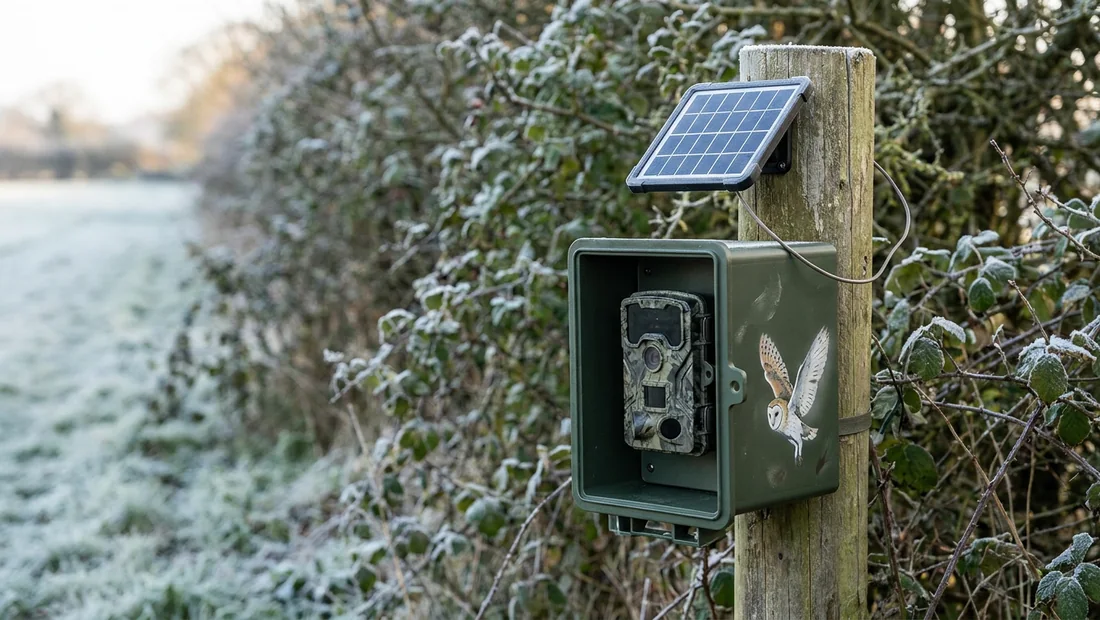
For long monitoring, such as a nest box watched from egg laying to fledging, external power saves you from repeated visits. Each visit risks disturbing the birds. A foldable solar panel with USB-C output can sit on a south-facing roof slope or wall outside, with the cable fed through a gap in the wall to the camera. Before you buy, check that your camera has a USB-C power input and that it accepts the panel's output voltage. In open or damp barns, use waterproof DC cables and keep the join protected, and loop the cable downwards before it reaches the camera so water drips off rather than running in.
Dust and cobwebs cause more blank footage than most people expect. A strand of web across the lens or sensor can trigger many false clips, and a film of dust turns the infrared image into a grey haze. Wipe the lens with a clean microfibre cloth at each check, and brush cobwebs from the front and the motion sensor window. Do this in daylight, and never when owls are present or the nest is active.
On isolated farms, theft is a real risk. A lockable steel security box makes a quick grab much harder. Fix it to a beam with a cable or screws, not just a strap, and keep the lens opening clear so the box does not block the view.
How to reset a barn owl camera and fix common problems
A barn owl camera that freezes, records nothing or gives white footage can usually be brought back with a power cycle and a settings check. Menus differ between models, so treat these steps as a general guide and keep the manual to hand.
Power cycle the camera
Switch the camera off. Take out the batteries and the SD card, then wait about a minute. Put everything back in and switch on. This often clears freezes and odd behaviour.
Restore the default settings
look in the menu for an option called Default, Reset or Factory Settings. The name varies by model. Run it if the camera still misbehaves. The reset wipes your choices, so re-enter the date and time and the trigger settings afterwards.
Format the card in the camera
copy your footage to a computer first, as formatting deletes everything. Then format the card in the camera itself, not on a laptop. A card formatted by the camera is less likely to throw up read or write errors in a damp, dusty roof space.
Check power and storage
Weak batteries are a common cause of failures. Cold nights drain them quickly, so swap in fresh ones if the level is low. The card needs free space, and its size and type should appear in the manual's list of supported cards. You will find spare cards and power add-ons in our trail camera accessories range.
Fix blank or white night footage
A white frame at night often means the bird is too close and the infrared is overexposing it. Move the camera back so the perch sits further from the lens (check your manual for the recommended minimum distance), and check the angle. Barn dust and cobwebs scatter the light, so wipe the lens and the infrared window with a soft dry cloth.
Reduce missed triggers
Raise the sensitivity one step at a time. Straw, loose wire and hanging cobwebs in the view cause false triggers that fill the card and drain the batteries, so clear them away. Leave the owl's usual flight path open.
Check the 4G connection
If a cellular model stops sending pictures, check that the data plan is active and has allowance left. Thick stone or metal roofing can weaken reception, so look at the signal bars on the screen. Then log out of the app and back in.
How to judge a barn owl camera before you buy
We do not publish star ratings or customer reviews on this page, so a good way to judge a camera is to read its specification and watch its sample footage. Look for footage shot at night, in a building or a shed if possible, because daylight clips tell you very little about how a camera copes with a dark roof space. Check that the subject is sharp rather than smeared, and that the picture is not washed out close to the lens.
Several figures are worth comparing. Night range tells you how far the infrared reaches, and for a nest box a short range is fine, but a barn floor or perch needs more. Trigger time should be well under a second, since an owl can pass through the frame quickly. The IP rating shows how well the housing resists dust and damp, and a barn is dusty even when it is dry. Power options matter too: check whether it runs on AA batteries, a rechargeable pack, a solar panel or an external supply. A no-glow model is the sensible choice near roosting birds. You can compare models in our night vision wildlife cameras range.
Read the product page for what is in the box. Mounting strap, SD card, cables and a solar panel are not always included. If the camera has an app, check whether it offers live view, remote settings and alerts, and whether it needs Wi-Fi or a SIM card. Our garden wildlife cameras pages list these details for each model.
If a camera does not suit your site, you can return it under our returns policy. Please see our delivery and returns pages for current delivery times and warranty terms.
Our picks
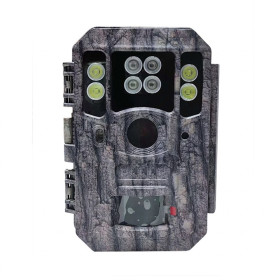
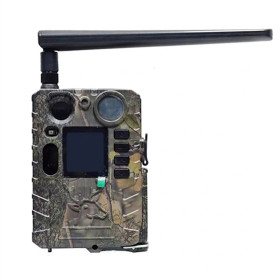
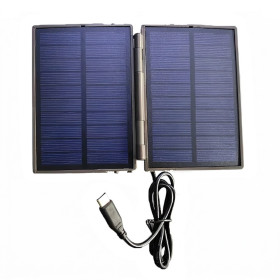
Start by settling the legal question, then place the camera outside the nest cavity, on a post or beam a few metres away and angled at the entrance or favourite perch. Barn owls are protected, so get advice before going near an active site. Use no-glow 940nm infrared and a battery plan that keeps visits rare. If you would like to compare options, see these night vision wildlife cameras.
Find a camera for your barn
Browse night vision wildlife cameras with no-glow infrared, free tracked Royal Mail delivery and a 30-day money-back guarantee.
View Night Vision Wildlife CamerasFrequently asked questions
Is it legal to put a camera near a barn owl nest?
Generally yes, but with care: barn owls are Schedule 1 birds, and disturbing one at an active nest without a licence is an offence. Speak to a licensed expert or your local raptor group before you put anything up. Mount the camera well away from the nest and never touch the cavity. This is general guidance, not legal advice.
How do I set up a barn owl camera?
Fit a freshly formatted card and new batteries, then mount the unit outside the cavity, aimed at the entrance or a favourite perch. Choose video mode and no-glow infrared. Before you leave, do a walk test in front of the lens to check framing and trigger. Keep the visit short and quiet.
How do I reset a barn owl camera?
Switch the camera off, take out the batteries and the card, and leave it for a short while. Put the batteries back, switch on, and choose the restore defaults option in the menu. Formatting the card in the camera afterwards clears file errors, which cause many odd faults. Do this away from the nest.
Do I need no-glow night vision for owls?
It is a sensible choice. A 940nm infrared flash gives off little or no visible red glow, so it is less likely to unsettle the birds or draw attention to the camera. The trade-off is slightly shorter night range and a little less detail than low-glow models, so mount it fairly close to the subject.
Can I watch barn owls live on my phone?
Sometimes, depending on the model. A 4G or Wi-Fi trail camera can send photos or short clips to an app, and a few offer a live view. Most do not offer a continuous livestream unless the product page says so. Check the listed features and the signal strength where you plan to mount it.
Related posts
 Digital Camera Batteries Rechargeable: UK Buyer's Guide
 Bluetooth Trail Camera: How It Works and What to Buy
 IR Illuminator for Security Cameras: What It Does and Which to Pick
 Can a Trail Cam Be Used as a Security Camera?
 Best Places to Take Wildlife Photos in the UK: A Field Guide